
Project Overview
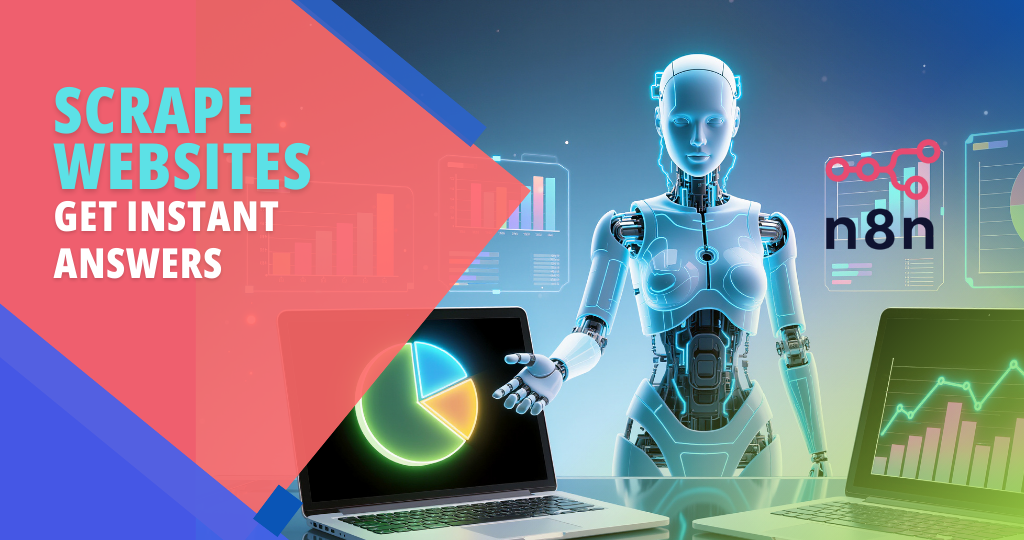
We built an AI-powered web extractor that can scrape websites, clean the content, and give instant answers — all inside an automated n8n workflow.
Instead of manually opening pages, copy-pasting text, and trying to understand long articles or documentation, the client now sends a URL to the system and gets a clear, AI-generated summary or direct answer in seconds.
What This Automation Does
1. One-Click Web Page Scraping
We created a flow where the client can:
- Paste or send:
- A single URL
- Multiple URLs (list)
- From:
- A web form
- Google Sheets
- Telegram/Slack/WhatsApp
- Or directly via API/webhook
The n8n workflow:
- Fetches the webpage content (HTML).
- Extracts:
- Main article/body text
- Headings (H1, H2, H3)
- Important links (optional)
- Cleans the content by removing:
- Ads
- Menus and sidebars
- Unnecessary boilerplate
Tools Used:
n8n, HTTP Request / Web Scraper node, Custom parser, Google Sheets / Web form / Chat apps
This means:
- No more manual copy-paste from websites.
- All content is structured and ready for AI processing.
- Works for blogs, docs, product pages, FAQs, and more.
2. AI-Powered Summaries & Instant Answers
Once the clean text is extracted, the workflow sends it to an AI model (OpenAI) to:
- Generate:
- Short summary (key points).
- Detailed summary (if needed).
- Answer specific questions like:
- “What is this page about?”
- “What are the main features or benefits?”
- “What is the pricing or plan structure?”
- “What are the steps or instructions mentioned?”
The user can:
- Ask a question along with the URL
→ The AI reads the page and responds directly to that question.
Tools Used: n8n, OpenAI LLM
This gives:
- Instant understanding of long or complex pages.
- Chat-style interaction with any web page content.
3. Multi-Page / Bulk Extraction
We also made it possible to process multiple links at once.
The workflow can:
- Read a list of URLs from:
- Google Sheets
- CSV / database
- Form submissions
- Loop through each URL:
- Scrape the content
- Summarize
- Extract key info (e.g. price, headings, FAQs, contact info)
- Save the results in a structured format.
Output options:
- Google Sheets (one row per URL)
- Notion database
- Airtable / custom database
This means:
- Perfect for competitor research, documentation analysis, or content audits.
- The client can process tens or hundreds of pages with a single workflow run.
4. Structured Data Extraction (Key Fields Only)
Beyond summaries, we added “field extraction” so the AI can pull specific data points.
The workflow can be configured to extract fields like:
- Pricing / plan names
- Features / pros & cons
- Contact email / phone
- FAQ questions and answers
- Headline & subheadline
- Call-to-action text
These are returned in a structured JSON or table format, then:
- Stored in Sheets/DB
- Sent back via API
- Delivered to the user in a clean message
Tools Used: n8n, OpenAI LLM, Google Sheets / Database
This helps:
- Turn unstructured web pages into clean, usable data.
- Save hours of manual copy-paste for research or reporting.
5. Integration with Chat & Internal Tools
We connected this AI extractor with the client’s existing tools so they can use it naturally.
Examples:
- From Telegram/Slack/WhatsApp:
- User sends:
URL + question - Bot replies with:
- Answer
- Optional short summary
- User sends:
- From internal dashboard or CRM:
- Button: “Analyze this URL”
- Result: Summary + extracted fields stored with the record.
Tools Used: n8n, Telegram/Slack/WhatsApp integrations, Internal dashboard/API
This means:
- The client can use the extractor from wherever they work most.
- No need to open n8n every time.
6. Logging & History
Every extraction is logged for future use.
We store:
- URL
- Raw extracted text (optional)
- AI summary
- Answers to questions
- Extracted key fields
- Timestamp and requested by whom (if needed)
Storage options:
- Google Sheets
- Notion
- Database (MySQL/PostgreSQL/etc.)
This gives the client:
- A searchable knowledge base of all processed pages.
- Historical data for research, audits, and reference.
Impact for the Client
After implementing this project:
- Website analysis became fast and automated.
- The client no longer needs to:
- Read long pages manually to find key info.
- Copy-paste text into other tools.
- Spend hours on competitor or documentation research.
- With just a URL (and optionally a question), they get:
- Clean summaries
- Direct answers
- Structured data ready for use
The team now focuses on:
- Decision-making
- Strategy
- Content and product improvements
instead of doing repetitive, manual website reading and data extraction.
Tags:
You May Also Like
-
Nov 30, 2025
Project Overview We built a WhatsApp automation system that handles incoming messages, FAQs, lead capture, and follow-ups automatically using n8n...
-
Nov 30, 2025
Project Overview We built a Facebook Messenger automation system that handles customer messages, FAQs, lead capture, and basic support automatically...
-
Nov 29, 2025
Project Overview We built an AI email management agent that reads, sorts, and replies to emails automatically – so the...

-
Nov 25, 2025
Project Overview We built an AI-powered customer support chatbot that can chat with customers like a real team member –...
