
Project Overview
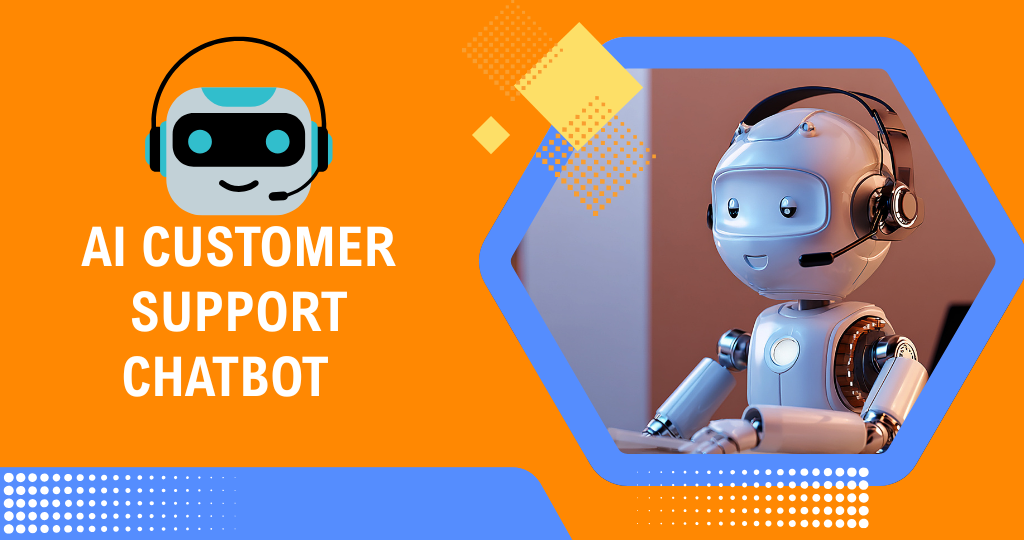
We built an AI-powered customer support chatbot that can chat with customers like a real team member – answering questions, guiding users, and collecting details automatically across multiple channels.
Instead of replying manually to every message on the website, Facebook, WhatsApp, or other platforms, the client now has a central n8n + AI system that understands customer questions, gives accurate answers, and hands over to humans when needed.
What This Automation Does
1. One Central AI Support Agent for All Channels
We created a flow where the client can connect:
- Website live chat / widget
- Facebook Page Messenger
- WhatsApp Business / Telegram
- Other chat channels supported by n8n
All messages from these channels are:
- Sent into n8n.
- Passed to the AI support agent (OpenAI).
- Replied back to the customer on the same channel.
Tools Used: n8n, OpenAI LLM, Facebook Messenger API, WhatsApp/Telegram API, Web Chat Widget, Google Sheets / Notion / CRM
This means:
- One AI agent supports multiple platforms.
- The client doesn’t need to switch between different inboxes.
- Customers get consistent replies everywhere.
2. AI That Understands Questions and Company Context
The chatbot is not just a generic model – it’s customized with the client’s own information.
The workflow:
- Uses:
- Company FAQs
- Service details
- Pricing info (if provided)
- Policies, process, and internal notes
- AI is instructed to:
- Answer using this business knowledge.
- Keep tone friendly, professional, and on-brand.
- Ask clarifying questions when needed.
The bot can handle topics like:
- Services / products explanation
- Pricing ranges & package details
- How to order / book / contact
- Location & working hours
- Basic troubleshooting / support steps
This gives:
- Accurate, business-specific answers.
- Less “I don’t know” or generic AI responses.
3. Smart Conversation Flows: FAQs, Lead Capture & Support
We added logic so the chatbot does practical work, not just chatting.
The workflow can:
- Answer FAQs automatically
- “What services do you offer?”
- “How much does it cost?”
- “What are your office hours?”
- “Do you provide online service?”
- Capture leads and inquiries
- Ask for:
- Name
- Email / phone number
- Requirements / budget / preferred date
- Save them into:
- Google Sheets
- CRM
- Notion database
- Ask for:
- Support / ticket-like flows
- Ask what problem the customer is facing.
- Collect screenshots/attachments (where possible).
- Generate a support ticket entry in a system or sheet.
Tools Used:
n8n, OpenAI LLM, Google Sheets / CRM / Notion
This means:
- The chatbot becomes a real assistant for sales and support.
- The team receives structured information instead of random messages.
4. Human Handoff for Complex Cases
We made sure the AI does not try to handle everything.
The workflow:
- Detects messages that are:
- Very sensitive (complaints, refunds, angry customers).
- Very complex or unclear.
- Related to payment issues, legal matters, or high-value deals.
For these cases, the system can:
- Inform the user: a human team member will take over.
- Notify the team via:
- Slack / Telegram / WhatsApp
- Attach:
- Conversation history
- AI-generated summary (“Customer wants X, issue is Y”)
Optionally:
- Tag the conversation as “Need Human” in the chat platform or CRM.
This gives the client:
- Control and safety for critical situations.
- Human agents get context before replying, saving time.
5. 24/7 Support & Quick Response
The AI chatbot can be active all the time, or only during specific hours.
The workflow can:
- Respond instantly to:
- New questions
- Follow-up questions
- Use:
- Auto-greetings (e.g. “Hi! How can I help you today?”)
- Away messages outside working hours (e.g. “Our team is offline, but I can help with basic questions.”)
- Provide:
- Immediate answers instead of waiting for a human reply.
This means:
- Customers don’t wait hours for basic information.
- Even when the team is busy or offline, they still receive support.
6. Logging, History & Insights
Every conversation is logged for review and improvements.
We store:
- Customer details (if shared)
- Channel (website, FB, WhatsApp, etc.)
- Full chat history or main messages
- AI responses
- Tags such as:
- “Lead”
- “Support”
- “General Question”
- “Escalated to Human”
- Time and date of each conversation
Storage options:
- Google Sheets
- Notion
- CRM / database
From this, the client can later see:
- How many users contacted support.
- What questions are asked most.
- How many leads / tickets were created by the chatbot.
Impact for the Client
After implementing this AI customer support chatbot:
- A large part of support and pre-sales questions became fully automated.
- The client no longer needs to:
- Manually answer the same basic questions again and again.
- Stay online all the time to respond quickly.
- Check multiple inboxes separately.
Results:
- Faster replies and better customer experience.
- More leads captured with complete details.
- Human team focuses on:
- Complex cases
- Important clients
- Business growth
while the AI chatbot, powered by n8n + OpenAI, handles the repetitive daily conversations in the background.
Tags:
You May Also Like
-
Nov 30, 2025
Project Overview We built a WhatsApp automation system that handles incoming messages, FAQs, lead capture, and follow-ups automatically using n8n...
-
Nov 30, 2025
Project Overview We built a Facebook Messenger automation system that handles customer messages, FAQs, lead capture, and basic support automatically...
-
Nov 29, 2025
Project Overview We built an AI email management agent that reads, sorts, and replies to emails automatically – so the...
-
Nov 6, 2025
Project Overview We built an AI-powered voice calling agent using Twilio and n8n that can talk to customers over the...
