
Project Overview
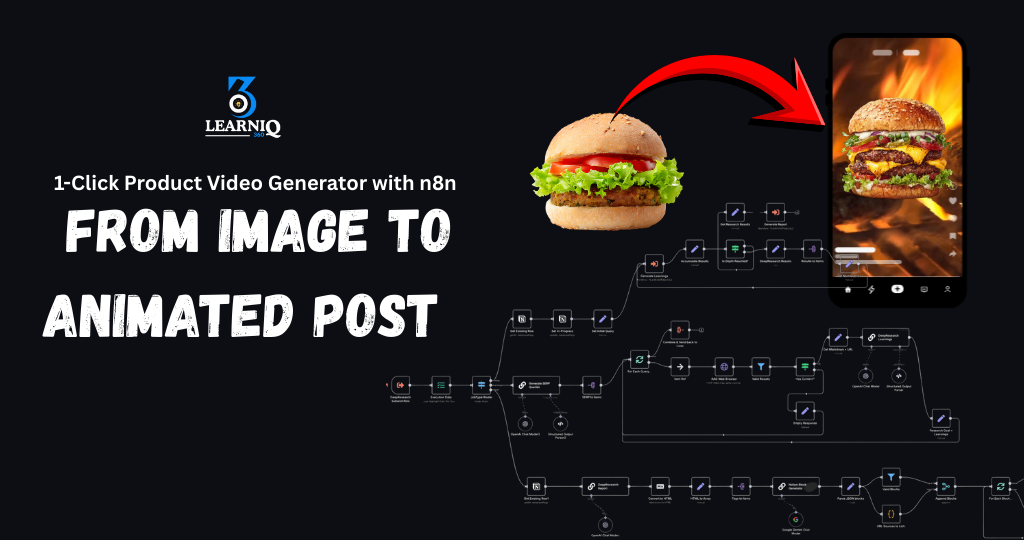
We built a 1-click product video generator that turns simple product images into eye-catching animated videos – ready for social media posting – using n8n and AI.
Instead of manually editing in CapCut/Premiere, adding text, music, and transitions for every product, the client now uploads or selects a product image once, and the system automatically creates a short animated promo video in the background.
What This Automation Does
1. Simple Input: Just Choose a Product
We created an easy flow where the client can:
- Select a product from:
- Google Sheets / product catalog
- Internal web dashboard
- Shopify / WooCommerce (via API)
- Or upload:
- Product image
- Product name
- Short description
- Price / discount / offer
The n8n workflow then:
- Fetches:
- Product image(s)
- Name, price, key features
- Any offer text (e.g. “20% OFF”, “Limited Time Offer”)
Tools Used:
n8n, Google Sheets / Web App / eCommerce API, Cloud Storage (Drive/S3)
This means:
- No manual content gathering for each product.
- One click (or one row) = enough data to start video creation.
2. AI-Generated Script & On-Screen Text
From the product details, the automation generates a short promotional script and text overlays.
The workflow:
- Sends product info to an AI model (OpenAI) to create:
- A short, punchy script (10–30 seconds).
- On-screen text lines like:
- Product name
- Key benefits (2–3 points)
- Price / offer
- Call-to-action (e.g. “Shop Now”, “Order Today”)
- Adapts tone based on:
- Brand style (e.g. classy, fun, modern)
- Target platform (Reels / TikTok / Shorts / Stories)
Tools Used: n8n, OpenAI LLM
This gives:
- Professional, marketing-style copy without a copywriter.
- Consistent messaging across all product videos.
3. Auto Video Creation: From Image to Animated Post
Next, the system turns the image + text into a short animated product video.
The workflow:
- Sends the assets (image + script + text) to a video tool or API (e.g. Blotato / external video generator) to:
- Create a vertical 9:16 video.
- Animate product images with:
- Zoom-in / zoom-out
- Pan and slide effects
- Smooth transitions
- Add:
- On-screen text overlays (headlines, price, CTA)
- Background music
- Basic effects (fade-in, fade-out)
Output:
- A ready-to-post MP4 product video.
- Download URL or direct upload-ready file.
Tools Used: n8n, Video Generation API (e.g. Blotato), Cloud Storage
This means:
- No editing software needed.
- Any product can become an animated promo in seconds.
4. Branding & Design Consistency
We added auto-branding so every product video looks on-brand.
The workflow automatically:
- Applies:
- Brand colors to text and shapes.
- Logo watermark on video.
- Brand fonts (where supported).
- Ensures:
- Safe text margins (not covered by platform UI).
- Consistent transitions and timing across videos.
Tools Used: n8n, Video Template / API with branding presets
This gives:
- Professional, consistent brand identity.
- No need to set design settings for each new product.
5. Auto Caption, Hashtags & Social-Ready Output
Alongside the video, the system also prepares content for posting.
The workflow:
- Generates:
- Short caption for social media (Instagram, Facebook, TikTok, etc.).
- Relevant hashtags based on product type and niche.
- Optional call-to-action lines like:
- “Tap the link in bio”
- “DM us to order”
- Saves:
- Video URL
- Caption
- Hashtags
into Google Sheets / Notion / eCommerce backend.
Tools Used: n8n, OpenAI LLM, Google Sheets / Notion / store database
This helps:
- Post quickly without thinking what to write each time.
- Keep CTAs and hashtags consistent.
6. Optional Auto Posting / Scheduling
If enabled, the same workflow can also handle publishing.
The system can:
- Send the generated video + caption to:
- Facebook Page
- Instagram Reels
- TikTok
- YouTube Shorts
- Or a social media scheduler
- Support:
- Instant publishing
- Scheduled posting (e.g. tomorrow 8 PM, or a weekly posting calendar)
Status is logged, such as:
- “Video generated”
- “Queued for posting”
- “Published” + post URL
Tools Used: n8n, Social Media APIs / schedulers, Google Sheets / Notion
This means:
- One click can take a product from image → animated video → live post.
- Perfect for daily or bulk product promotions.
7. Logging & Performance Tracking
Every generated product video is tracked.
We store:
- Product ID / name
- Image(s) used
- Generated script and overlays
- Video URL
- Caption + hashtags
- Posting status and date
Optionally, the system can later:
- Attach performance data (views, likes, clicks) from social platforms.
Storage options: Google Sheets, Notion, Database/CRM
This gives the client:
- A library of all product videos ever created.
- Easy reuse for re-posting or ads.
- Data to see which products and messages perform best.
Impact for the Client
After implementing this project:
- Product video creation became 1-click and scalable.
- The client no longer needs to:
- Edit videos manually for each product.
- Write promo copy for every post.
- Spend hours formatting videos for different platforms.
- They can now:
- Turn their entire product catalog into animated promos.
- Post regularly without extra design or editing work.
- Keep branding consistent across all videos.
Result:
- Faster content production.
- More engaging product marketing.
- Higher chances of views, clicks, and sales —
while the team focuses on sales and strategy instead of repetitive video editing.
You May Also Like
-
Nov 30, 2025
Project Overview We built a WhatsApp automation system that handles incoming messages, FAQs, lead capture, and follow-ups automatically using n8n...
-
Nov 30, 2025
Project Overview We built a Facebook Messenger automation system that handles customer messages, FAQs, lead capture, and basic support automatically...

-
Nov 29, 2025
Project Overview We built an AI email management agent that reads, sorts, and replies to emails automatically – so the...

-
Nov 25, 2025
Project Overview We built an AI-powered customer support chatbot that can chat with customers like a real team member –...
