
Project Overview
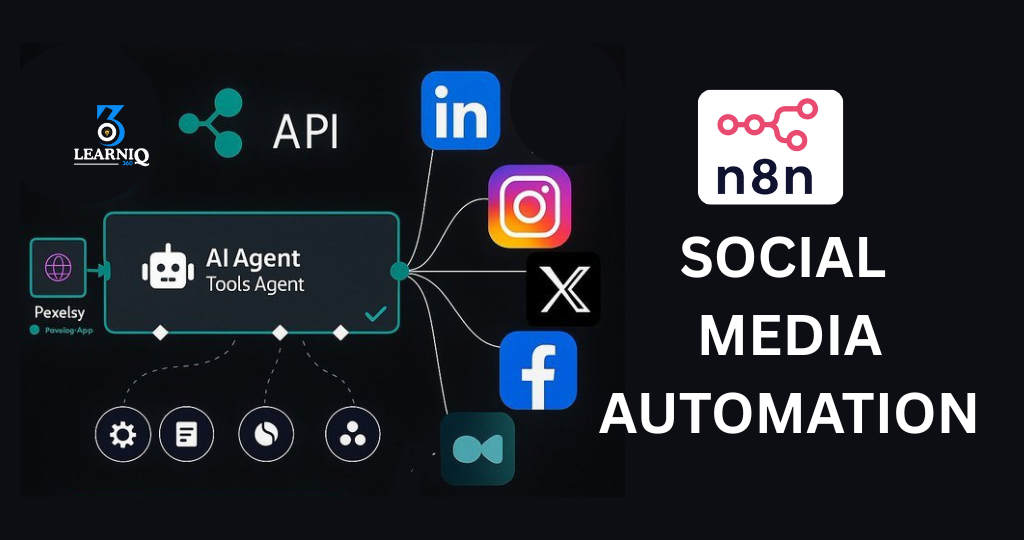
We built a complete social media automation system that handles almost everything – from publishing posts to replying to messages and comments – without manual effort.
Instead of logging into each platform and doing things one by one, the client now manages all their content and engagement from a single, automated workflow built in n8n.
What This Automation Does
1. Central Content to Multi-Platform Auto Posting
We created a flow where the client:
-
Writes the post once (in Google Sheets / internal form / Notion).
-
Optionally attaches image link, call-to-action, and hashtags.
-
The n8n workflow:
-
Automatically formats the content for each platform.
-
Posts to Facebook Page, Instagram, LinkedIn (and others if needed).
-
Supports instant posting or scheduled posting (e.g. tomorrow at 10 PM).
-
This means:
-
No more copy-paste between apps.
-
No missing posts.
-
Same campaign goes live everywhere, on time.
2. Smart Inbox Reply Automation
We connected the client’s Facebook Page inbox and Instagram DMs (and can extend to others) into n8n.
The workflow:
-
Listens for new messages.
-
Checks for common keywords/intents like:
-
“Price”, “location”, “timing”, “package”, “services”, etc.
-
-
Sends predefined or AI-assisted replies instantly, such as:
-
Basic service details
-
Pricing range
-
Booking / contact instructions
-
For more complex or sensitive messages:
-
The workflow notifies the team (e.g. via email/WhatsApp/Telegram).
-
Marks the conversation for manual follow-up.
So the client gets the best of both:
-
Automation for 70–80% repetitive questions.
-
Human attention for the rest.
3. Comment Monitoring & Auto Replies
We also automated comment handling on posts:
-
n8n checks new comments on Facebook/Instagram posts.
-
Based on rules, it can:
-
Reply with a “Thank you!” message.
-
Ask the commenter to “check inbox” for details.
-
Trigger an inbox message to the commenter (lead capture).
-
-
The system can also:
-
Save commenter details into Google Sheets / CRM.
-
Tag them as “interested”, “lead”, “question”, etc.
-
This helps convert organic engagement into real leads.
4. Data Logging & Tracking
Every important action is logged:
-
Published post details (platform, time, caption).
-
Messages received + auto replies sent.
-
Comments detected + responses sent.
-
Leads captured (name, profile link, platform, interest).
We store this in Google Sheets / Notion / CRM, depending on the client’s preference.
This gives the client:
-
Clear visibility of what the automation is doing.
-
History of all interactions.
-
Data that can be used later for marketing or reporting.
Impact for the Client
After implementing this project:
-
Social media posting became fully automated once content is prepared.
-
The client no longer needs to:
-
Log in to multiple apps.
-
Copy and paste the same text.
-
Manually reply to every basic question.
-
-
Response speed to customers improved drastically.
-
Engagement increased due to consistent replies and active presence.
-
The client’s team now spends more time on:
-
Content quality
-
Strategy
-
Client handling
instead of routine tasks.
-
Tags:
You May Also Like
-
Nov 30, 2025
Project Overview We built a WhatsApp automation system that handles incoming messages, FAQs, lead capture, and follow-ups automatically using n8n...
-
Nov 30, 2025
Project Overview We built a Facebook Messenger automation system that handles customer messages, FAQs, lead capture, and basic support automatically...
-
Nov 29, 2025
Project Overview We built an AI email management agent that reads, sorts, and replies to emails automatically – so the...
-
Nov 25, 2025
Project Overview We built an AI-powered customer support chatbot that can chat with customers like a real team member –...
